Automation / AI orchestration / Content operations
Blogy AI Content Intelligence
A content automation system that connects evidence, AI orchestration, worker queues, human review and measurable publishing operations.
- 01Workflow orchestration
- 02Event-driven operations
- 03Worker queues
- 04Human review gates
- 05Operational visibility
- 06Recovery paths
AUTOMATION / CONTROLObservable
ORCHESTRATORExplicit workflow state
Automation brief
Automate the operating system, not just the obvious click.
Blogy AI is not presented here as a set of isolated generation buttons. The automation case study focuses on the operating system behind the product: explicit workflow state, queued work, controlled AI handoffs, review gates, integrations and the visibility needed to understand what happened when a workflow succeeds or fails.
Operational problem
Content teams needed to coordinate search evidence, brand knowledge and production while keeping the workflow understandable and reviewable.
System response
We designed the product model, AI orchestration, editorial workspace and measurement system as one traceable content operating environment.
01 / System architecture
One workflow spine. Multiple explicit control layers.
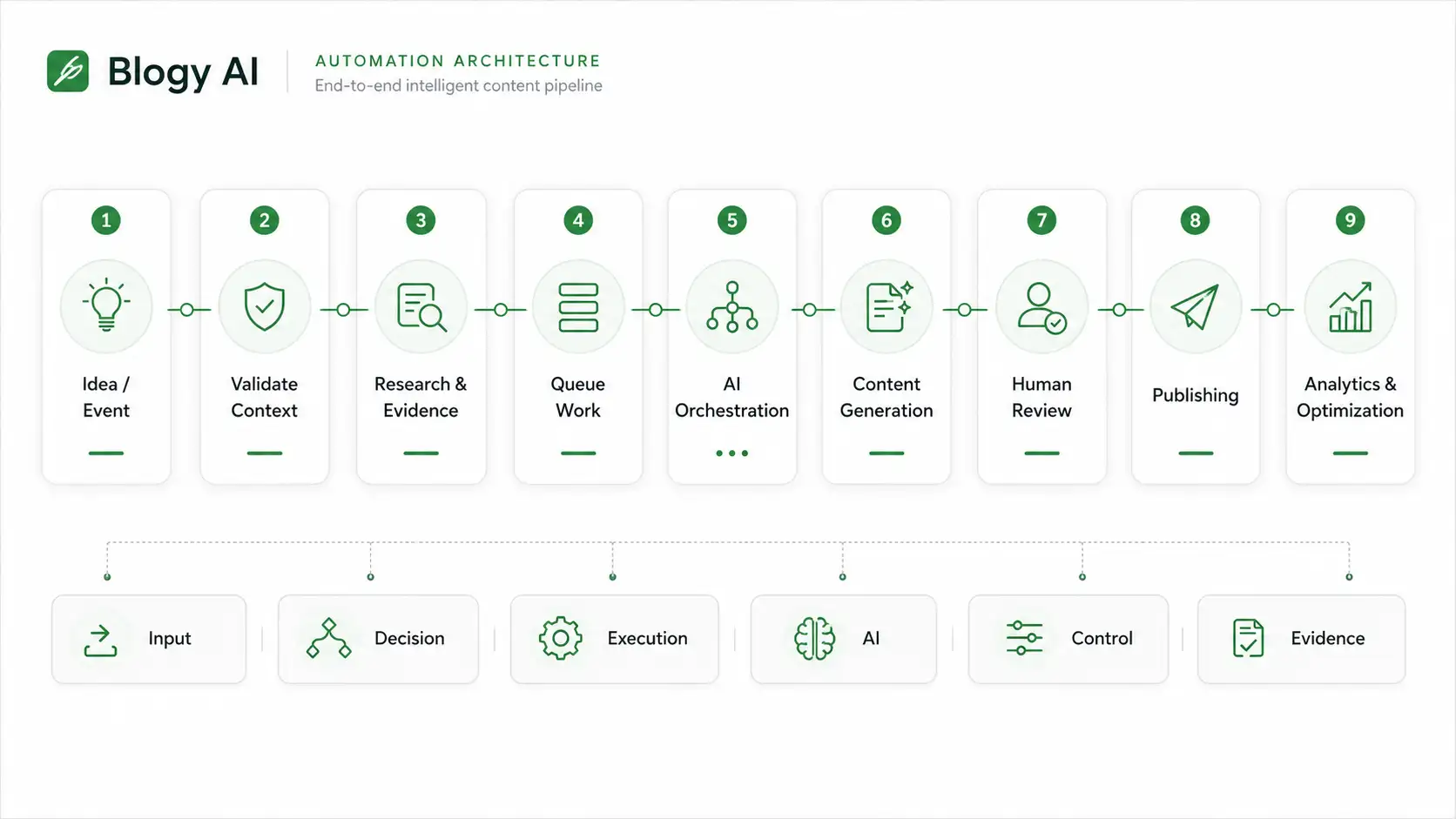
The automation presentation separates inputs, decisions, execution, AI work, human control and evidence so each layer can be inspected and improved independently.
- 01Input layerResearch, user actions and editorial state
- 02Decision layerRules, validation and workflow routing
- 03Execution layerWorker queues and background operations
- 04AI layerModel orchestration with structured context
- 05Control layerHuman review, status and exception paths
- 06Evidence layerOperational and outcome signals for iteration
SYSTEM / ORCHESTRATION01
SYSTEM / WORKFLOW02
02 / Product surface
The visible product sits on top of the operating system.
Explore the existing Blogy AI product surface while the automation evidence around it is added progressively.

03 / Triggers & events
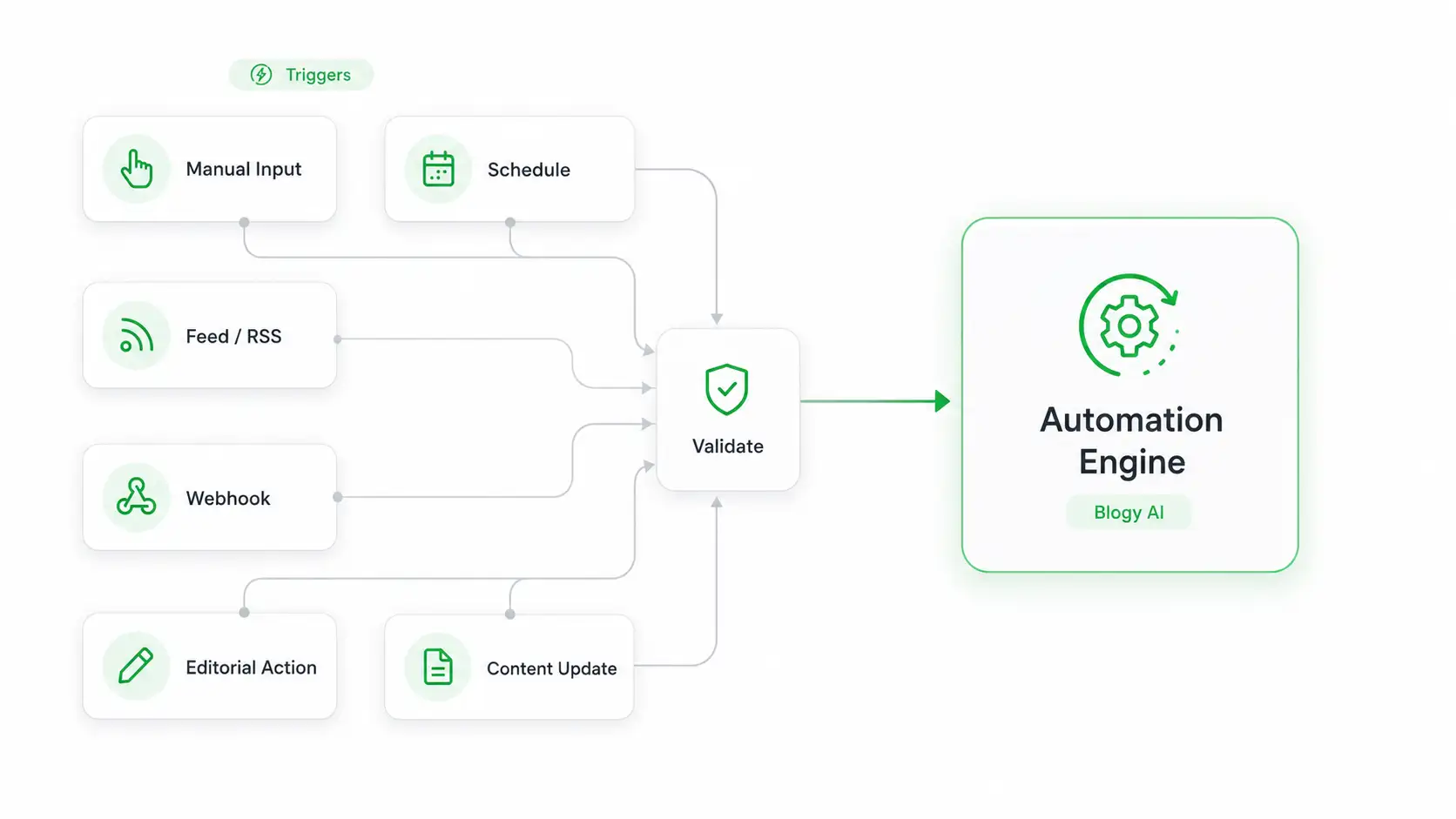
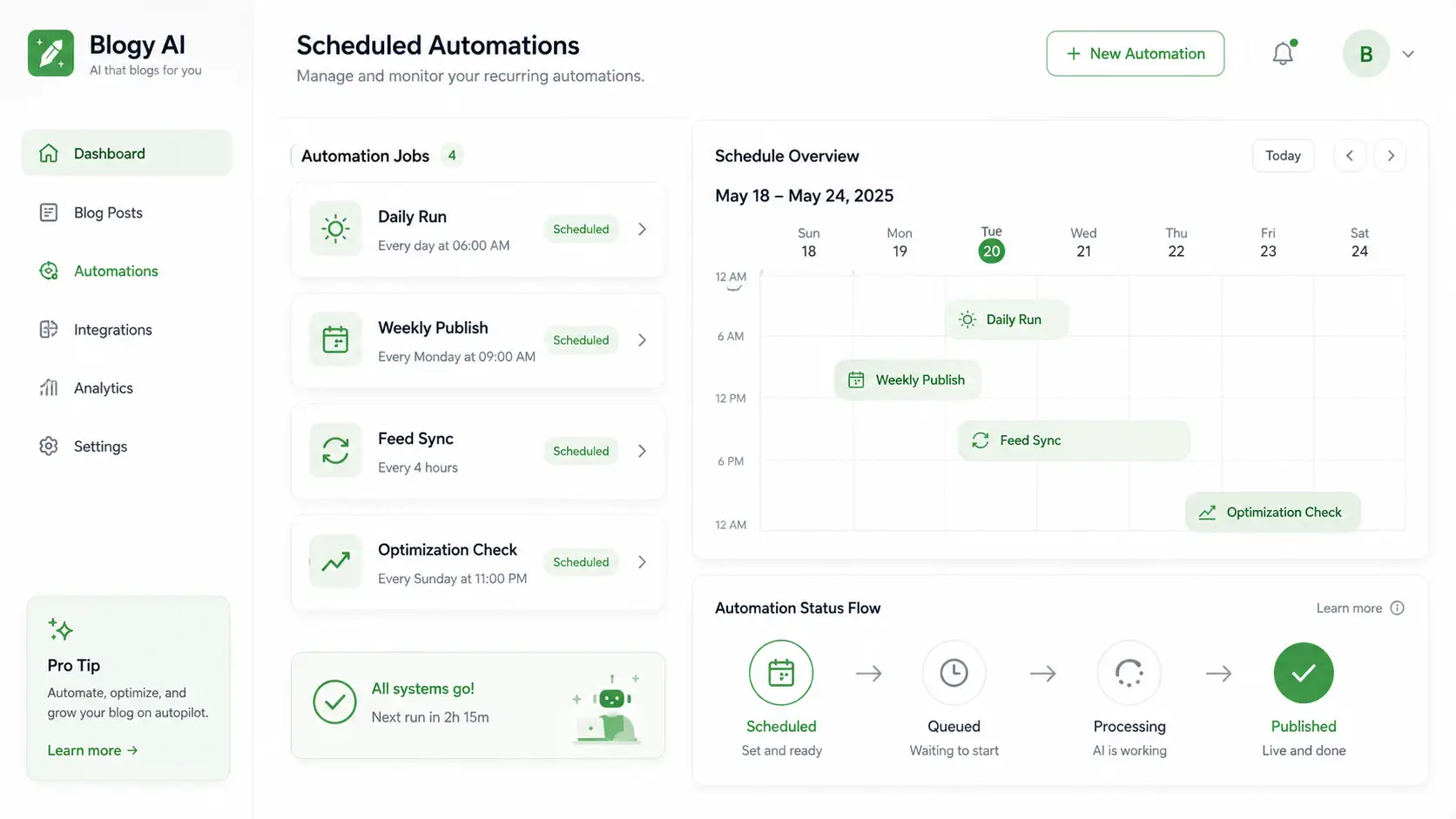
Make every automation start from a known event.
A reliable workflow begins with explicit triggers, valid context and a visible destination, not an invisible chain of side effects.
01Action
02Validate
03Route
04Queue
05Execute
06Confirm
EVENTS / TRIGGERS01
EVENTS / HANDOFF02
04 / Queue & orchestration
Separate interaction from long-running execution.
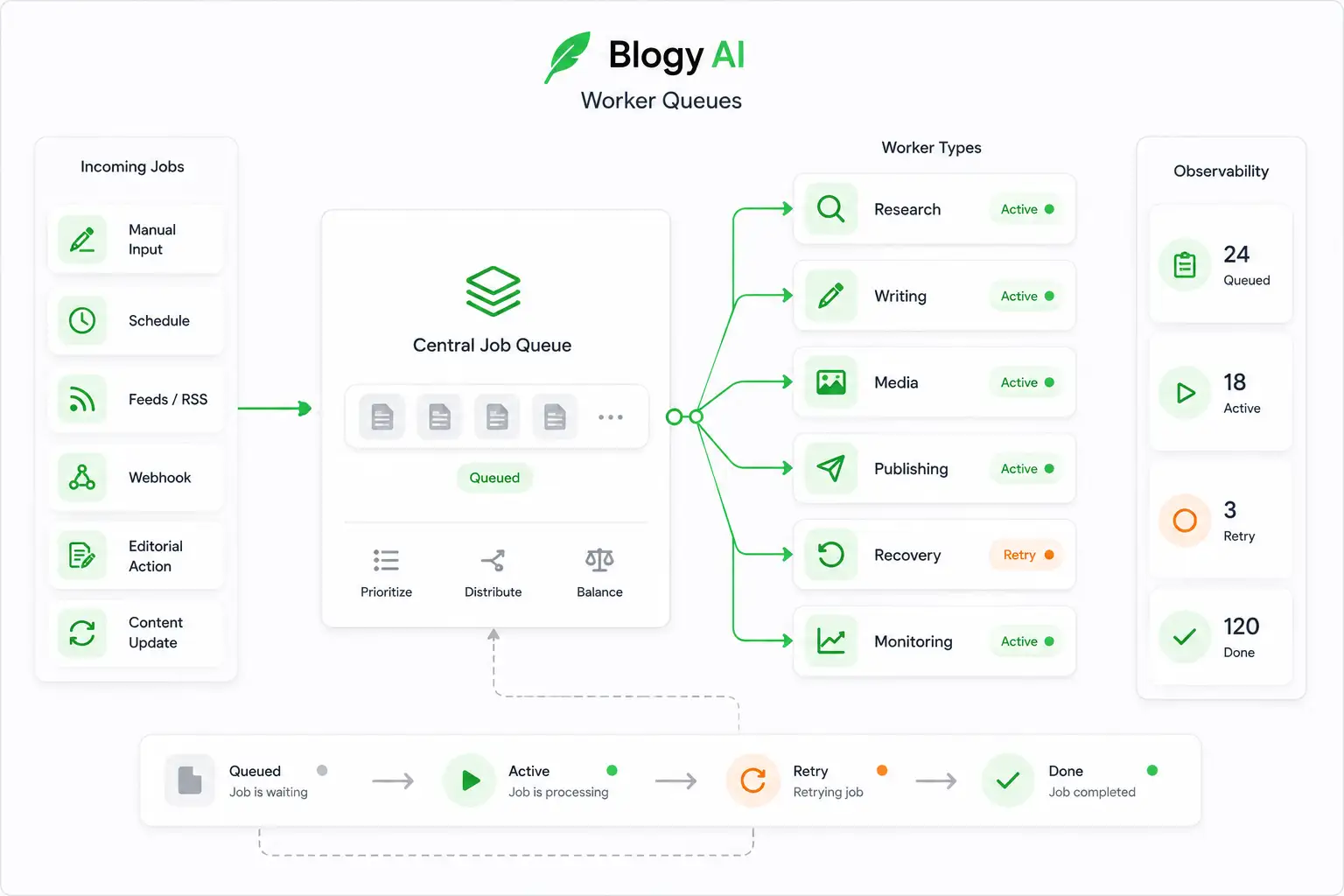
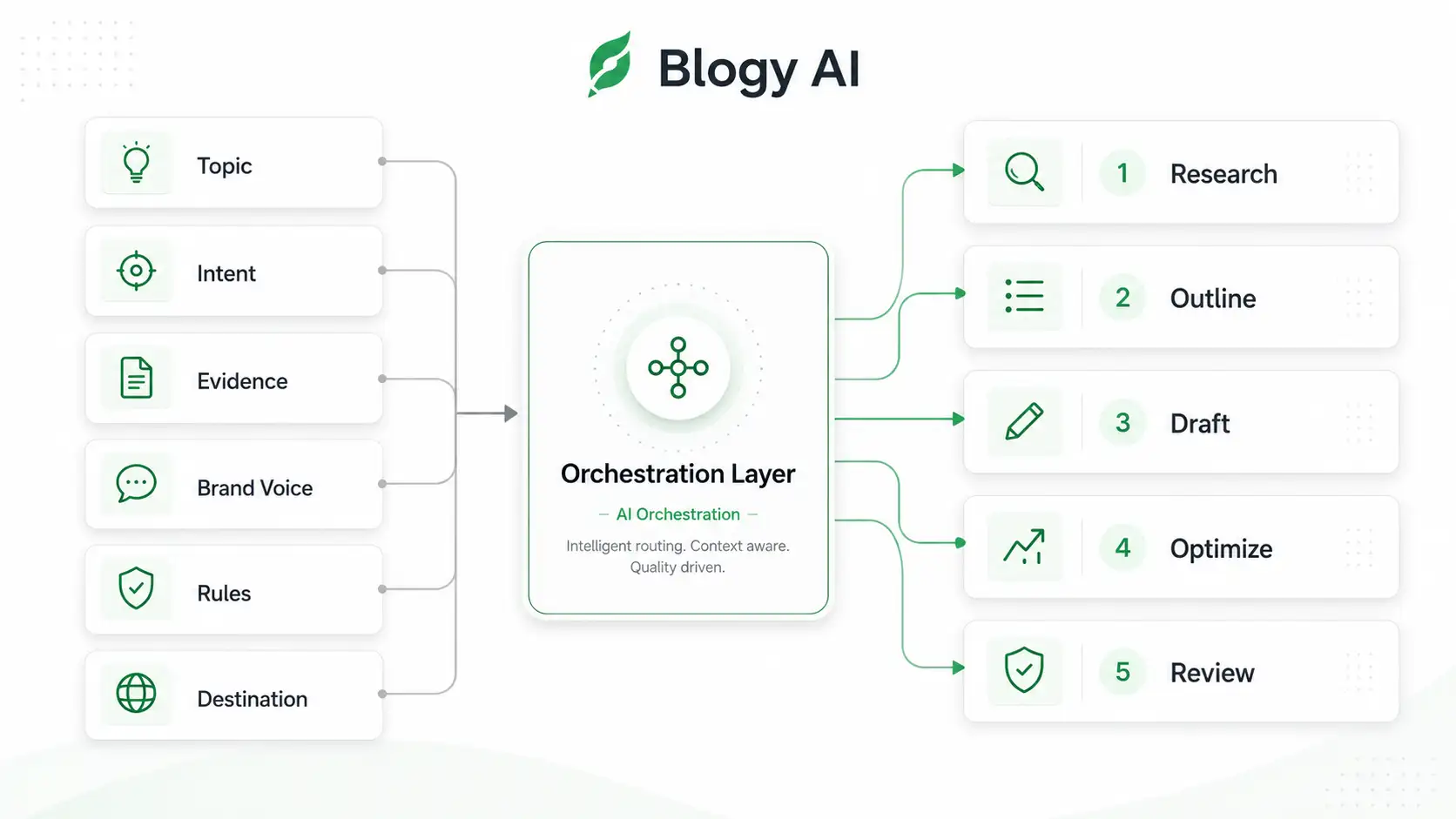
Worker queues and AI orchestration let the product handle complex work as an observable process instead of blocking the user behind one request.
QUEUE
01Enrich with evidenceSTATE READY
02Queue the workSTATE READY
03Orchestrate AISTATE READY
04Hold for reviewSTATE READY
CONTROLLED OUTPUTReviewable stateNo silent handoff
EXECUTION / QUEUES01
EXECUTION / SCHEDULE02
EXECUTION / AI03
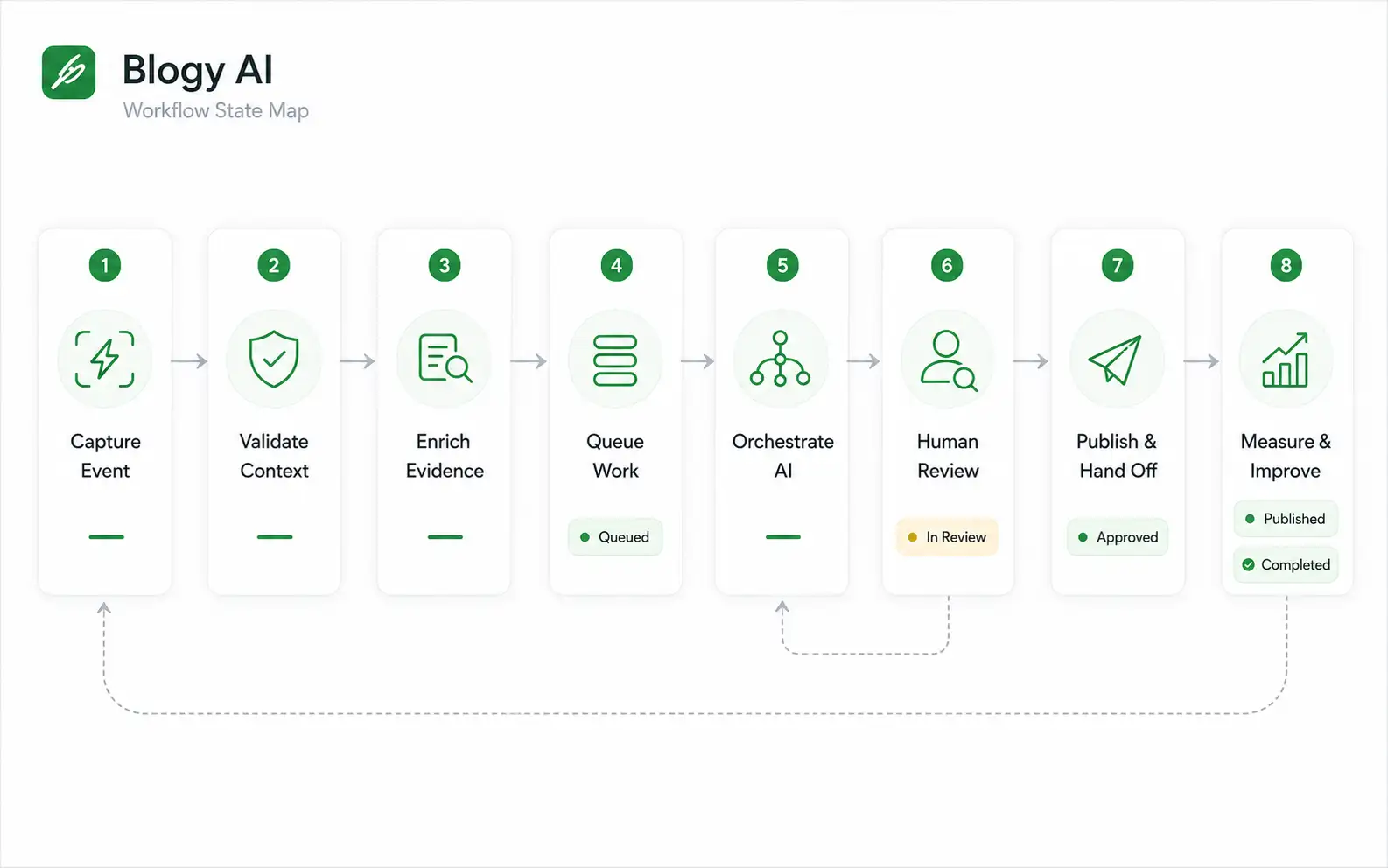
05 / Operating workflow
From event to outcome, every handoff has a job.
The workflow combines deterministic product logic, background execution, AI work and human judgment rather than treating automation as all-or-nothing.
- 01
Capture the event
Turn a user action, schedule, system update or approved editorial decision into an explicit workflow trigger.
- 02
Validate context
Check the required state, permissions, inputs and content context before expensive or irreversible work begins.
- 03
Enrich with evidence
Attach research, brand knowledge and structured product context so downstream automation works from traceable inputs.
- 04
Queue the work
Move long-running operations into worker queues so the product can separate user interaction from background execution.
- 05
Orchestrate AI
Route each task through the appropriate AI and product logic instead of collapsing the workflow into one opaque prompt.
- 06
Hold for review
Keep editorial decisions visible and insert human approval where judgment, brand alignment or publication readiness matters.
- 07
Publish & hand off
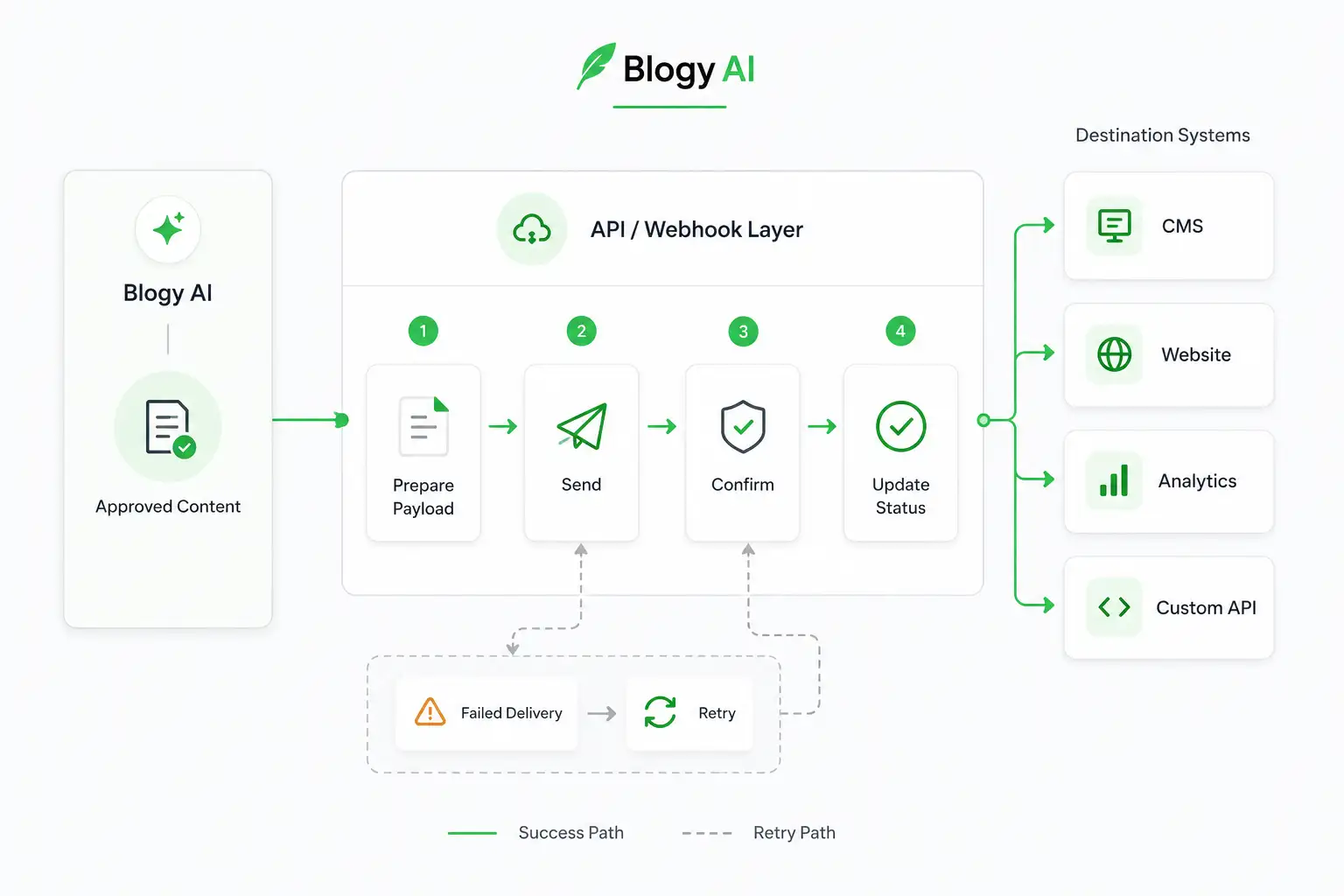
Move approved output into the next system or publishing stage with explicit status rather than a silent handoff.
- 08
Measure & improve
Preserve workflow and outcome signals so teams can understand throughput, exceptions and where the operating system should improve next.
OPERATIONS / PIPELINE01
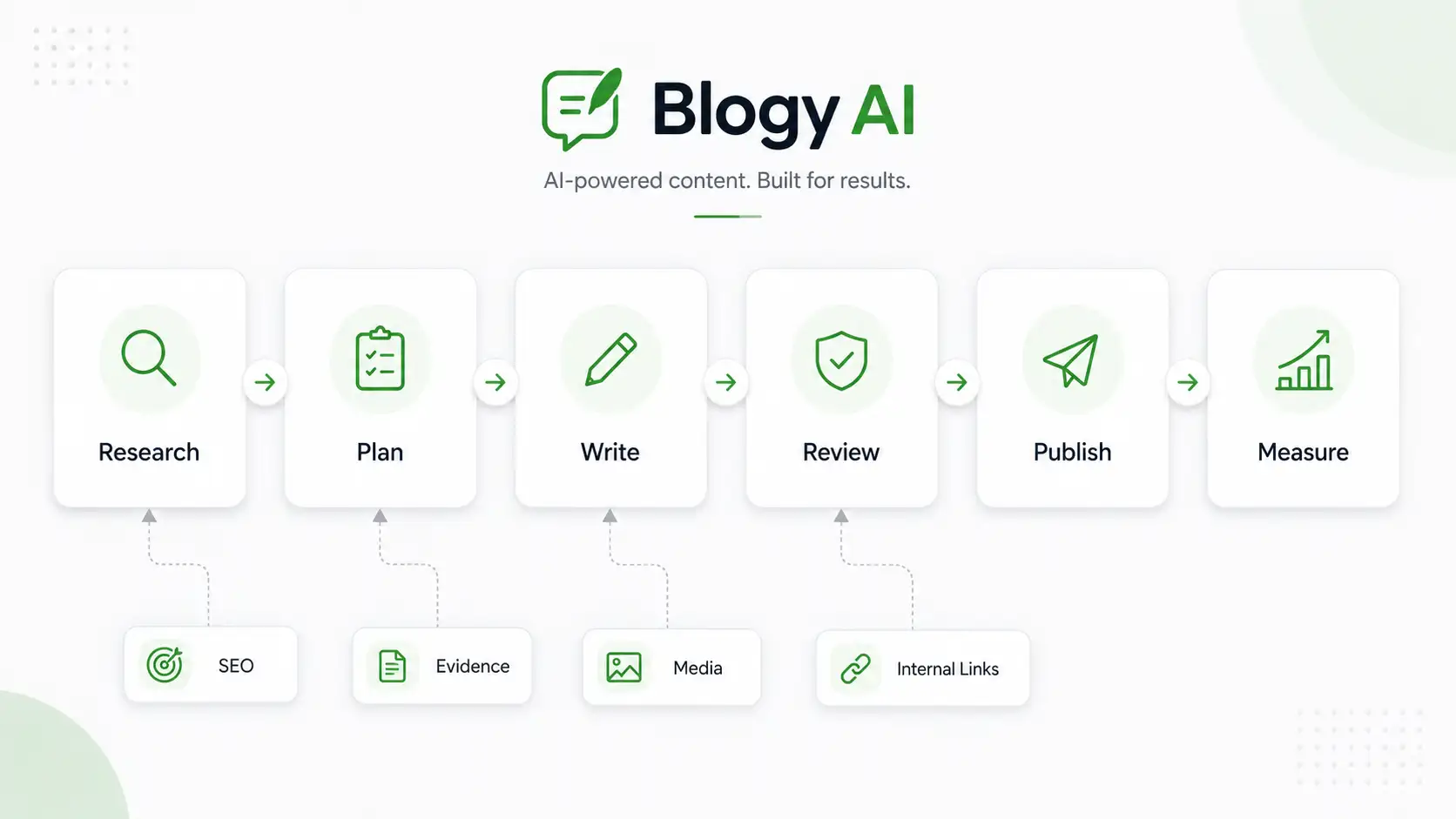
OPERATIONS / OUTPUT02
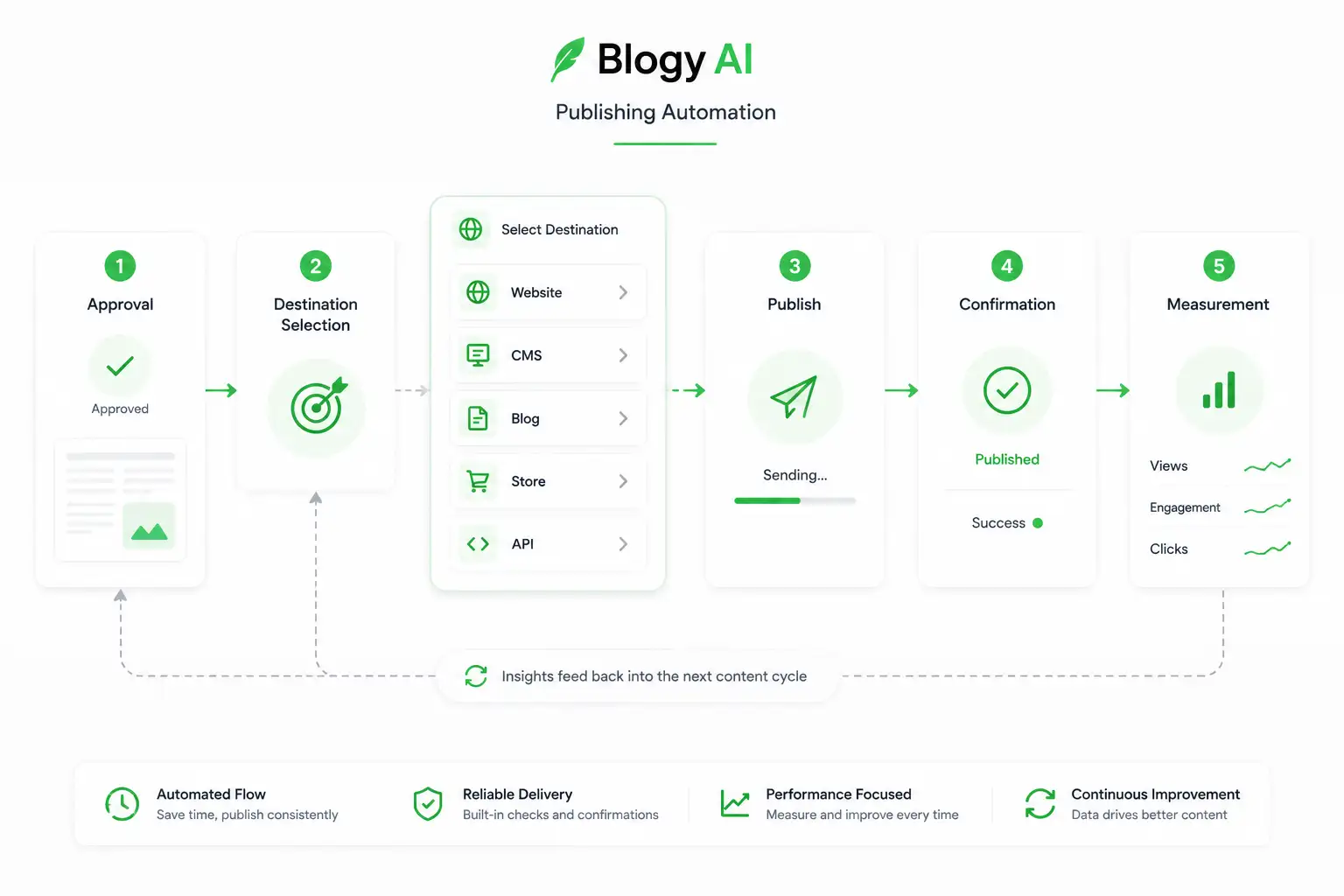
06 / Connected systems
Automation is the connective tissue between systems.
The canonical Blogy AI project records seven connected systems. This view keeps the integration model abstract enough for public presentation while reserving evidence slots for real diagrams later.
BLGY / COREWorkflow state
01React
02TypeScript
03PostgreSQL
04Worker queues
05AI orchestration
06APIs
SYSTEM / INTEGRATIONS01
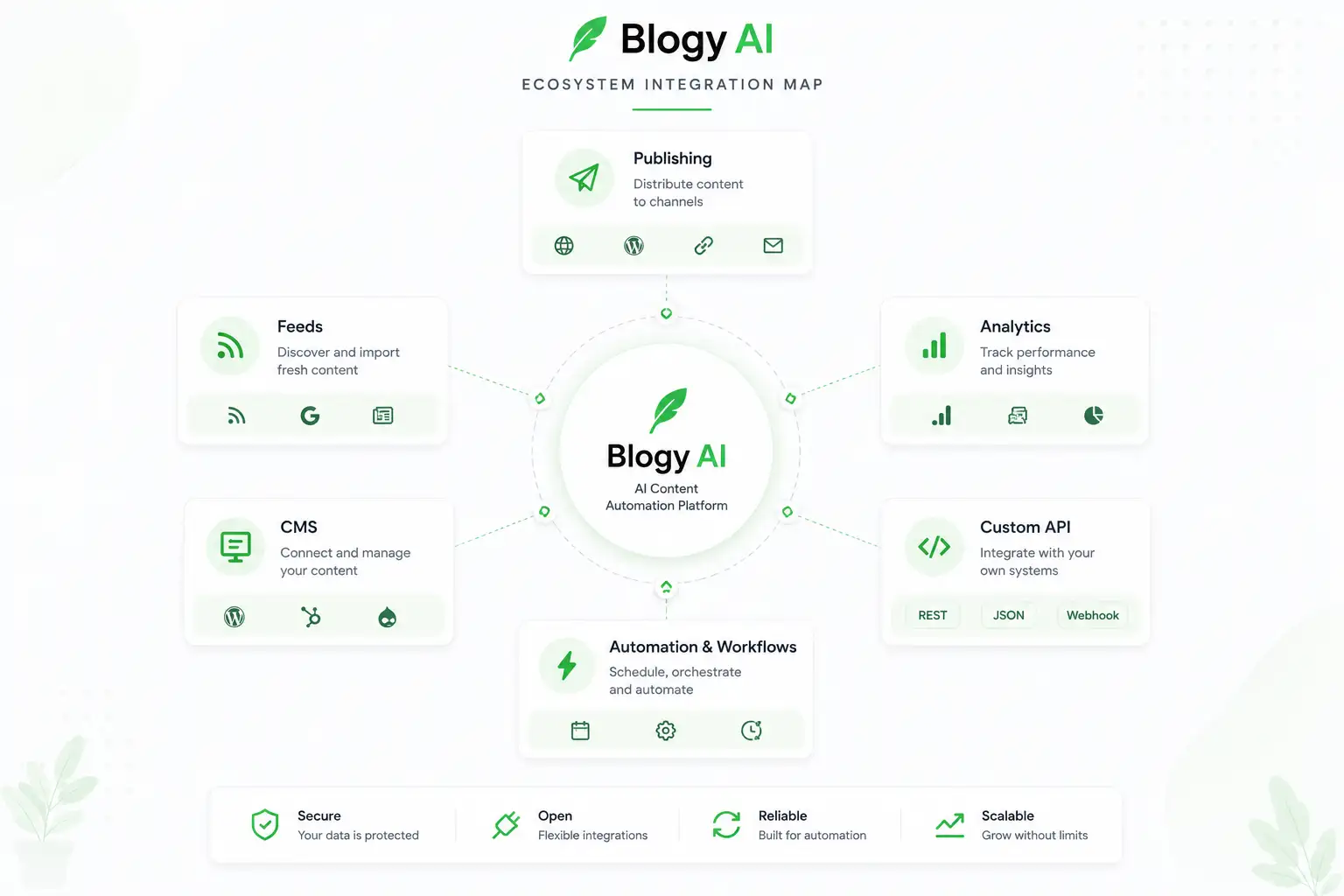
07 / Reliability & recovery
The happy path is only half of automation design.
A mature automation case study should show what happens when context is missing, a task stalls, a downstream system is unavailable or a human review blocks progress.
01Ready
02Queued
03Running
04Review
05Complete
RELIABILITY / RECOVERY01

RELIABILITY / TRACE02
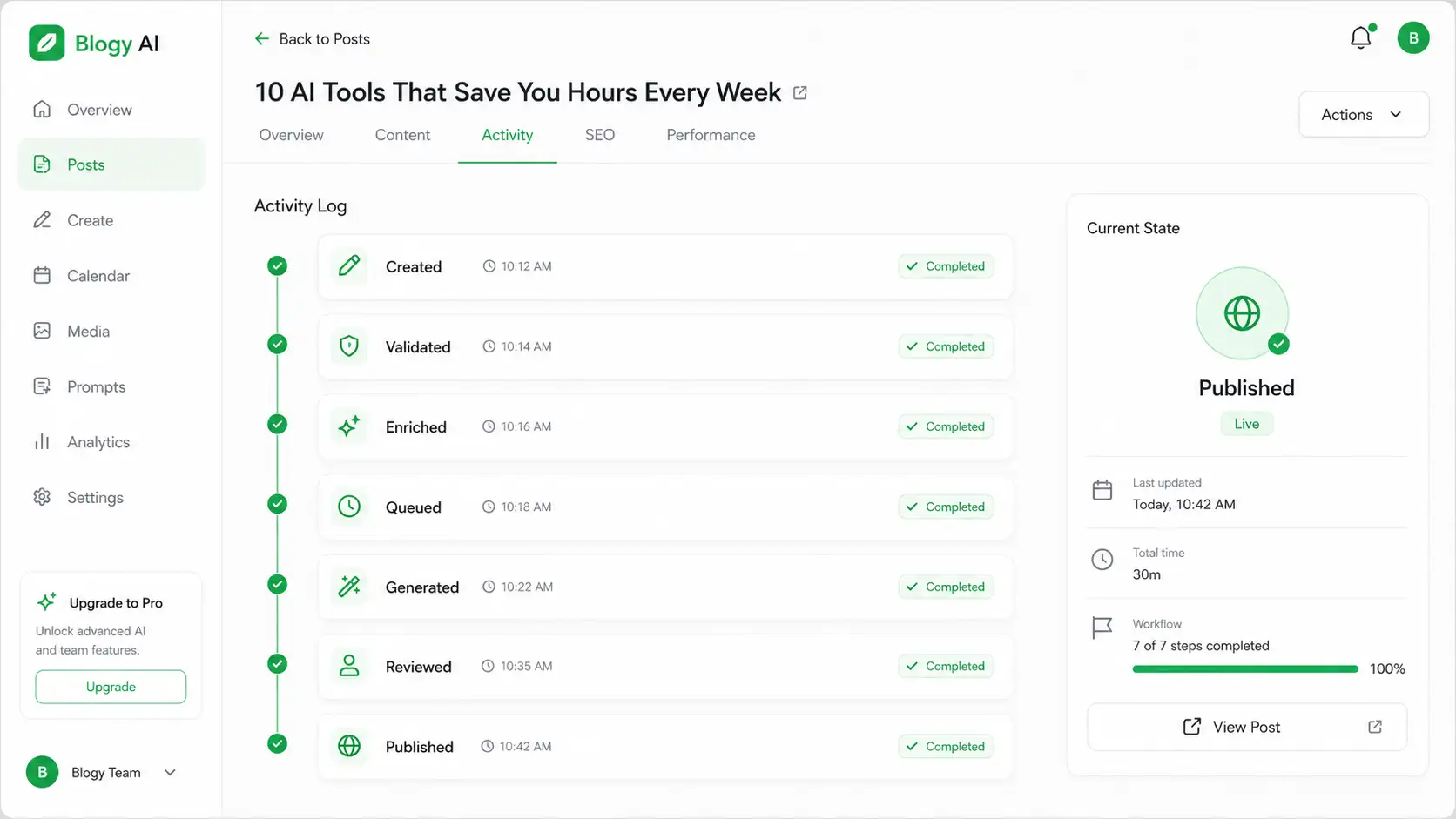
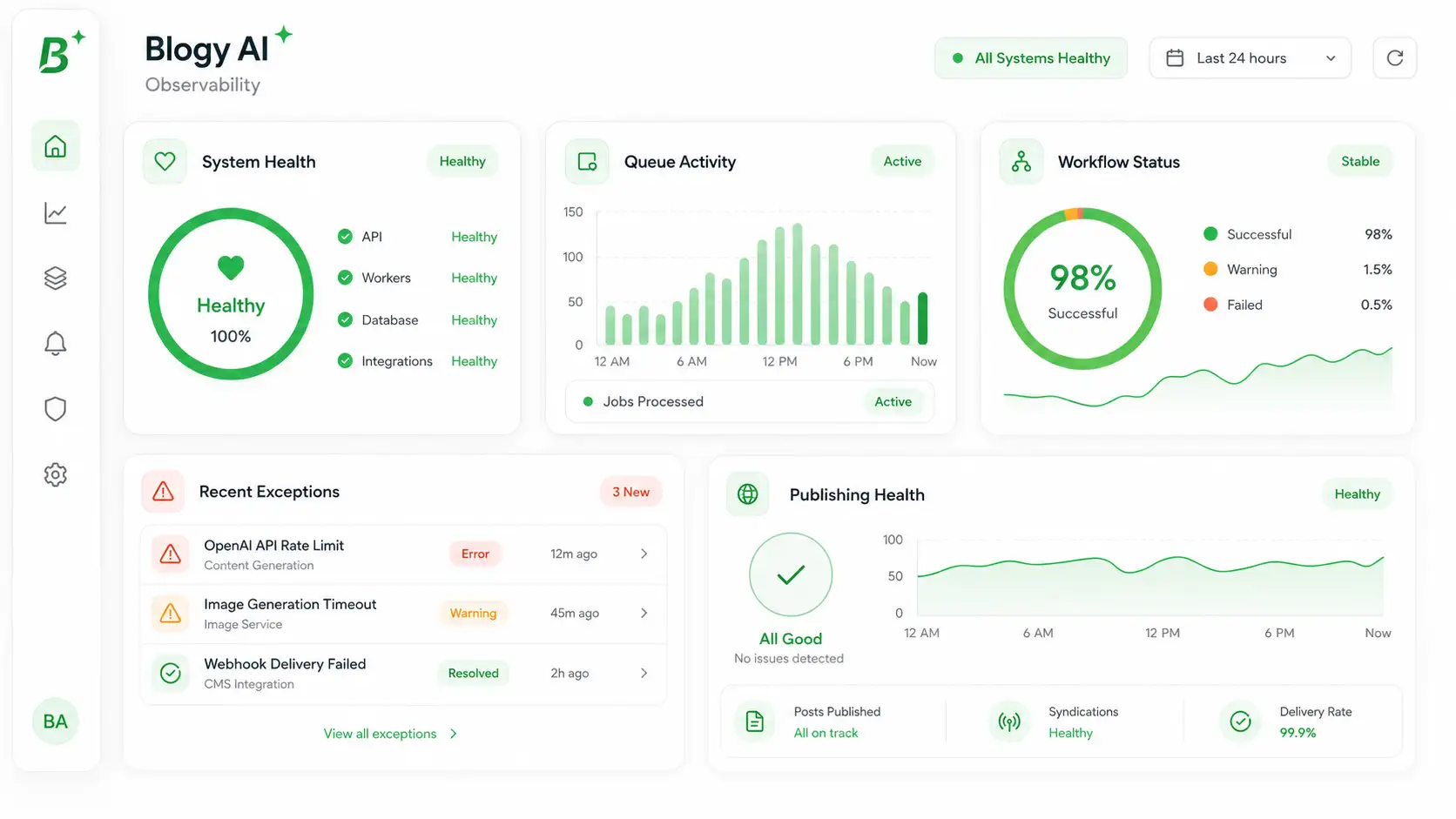
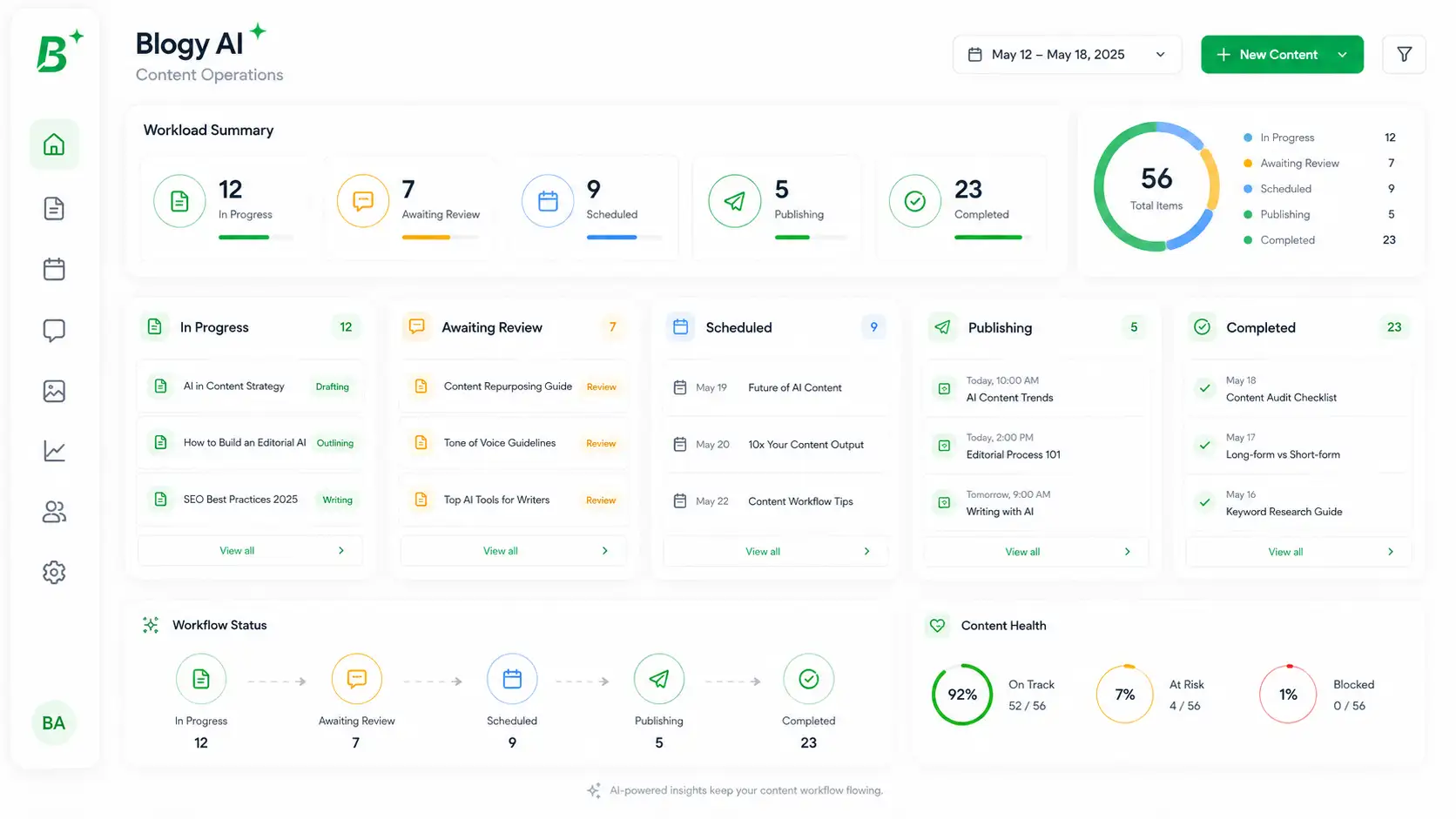
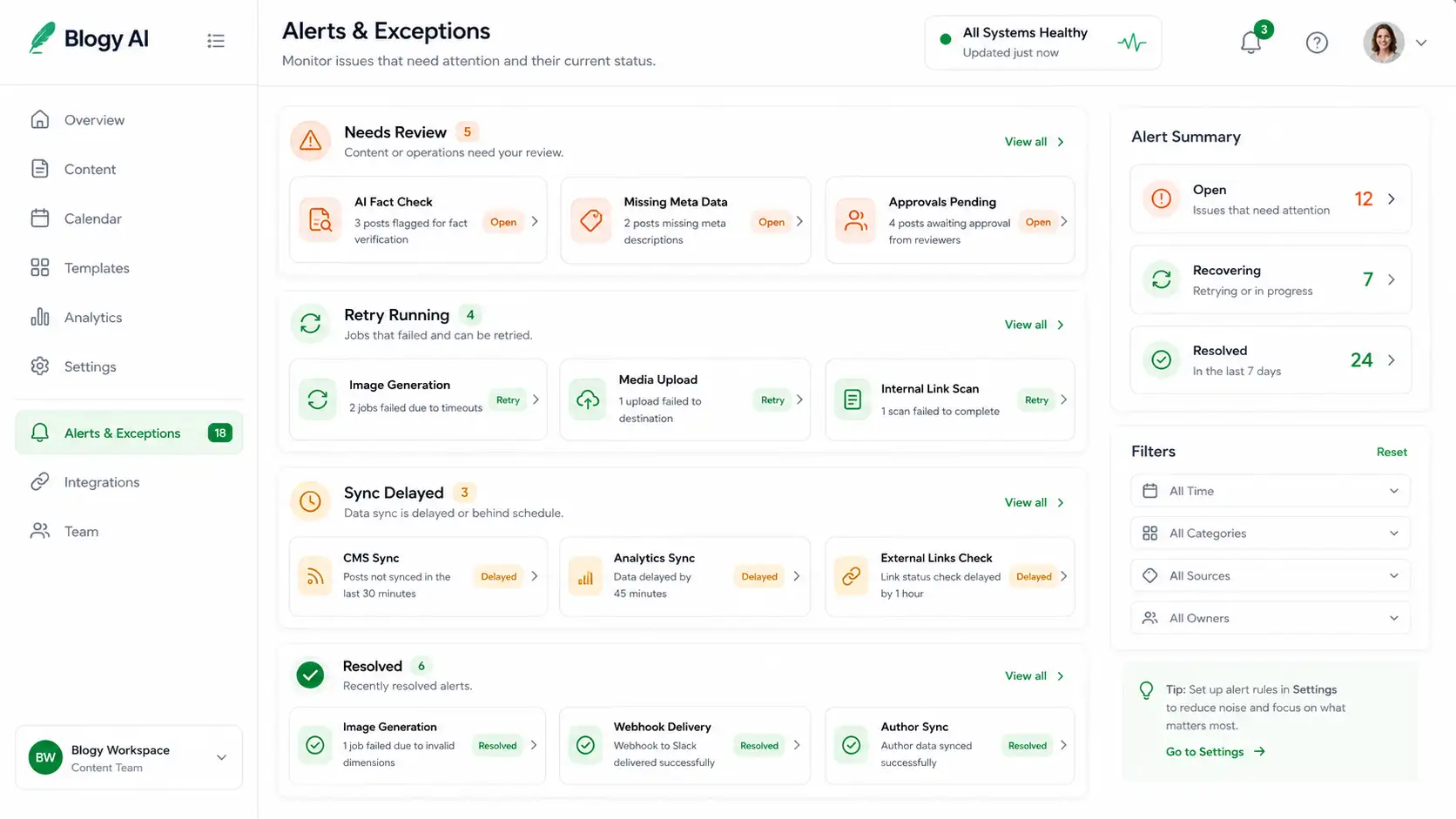
08 / Observe & operate
If the team cannot see workflow state, the automation is not finished.
Operational views turn background work into something teams can inspect, support and improve without guessing what a worker or integration is doing.
01Workflow state
02Queue visibility
03Exception state
04Review status
05Outcome signal
OBSERVE / SYSTEM01
OBSERVE / PRODUCT02
OBSERVE / EXCEPTIONS03
09 / Verified outcomes
Show what is verified. Leave the rest ready for evidence.
The portfolio will not manufacture automation savings, throughput or reliability statistics. Verified project facts appear now; stronger operating metrics can be added later with supporting evidence.
- connected in the content workflow
- 7 systems Verified project record
- connected in one content workflow
- 7 systems Verified project record
- from evidence to optimization
- 4 stages Verified project record
Awaiting verified operational evidence.
Awaiting verified operational evidence.
Awaiting verified operational evidence.
OUTCOME / COMPARISON01

10 / Optional walkthrough
Use motion when a workflow is easier to understand in sequence.
The slot is ready for a narrated automation walkthrough, queue demonstration, orchestration tour or before/after operations explanation. It never autoplays.
AUTOMATION / WALKTHROUGH01
OPTIONAL WORKFLOW VIDEOautomation-walkthrough.webm
Add a concise user-controlled walkthrough when the real recording is ready.
Automation scope
Design the workflow, execution model and operating visibility together.
- 01Workflow architecture
- 02Trigger and event mapping
- 03Worker-queue design
- 04AI orchestration flows
- 05API and system integration
- 06Human-in-the-loop review gates
- 07Publishing and handoff automation
- 08Operational observability
- 09Exception and recovery paths
- 10Measurement and optimization hooks
Related automation work
Continue through connected operations.

AizEclat
AizEclat Beauty Commerce Platform
AI solutionA strategy-led WordPress and WooCommerce platform for AizEclat, combining UI/UX and full-stack commerce delivery with AI integrations, automation and infrastructure.

West Solar Energy
West Solar Energy Digital Platform
Web experienceA strategy-led WordPress platform for West Solar Energy, connecting a broad solar-services offer with Smartec-delivered UI/UX, full-stack development, AI integration, automation and infrastructure work.

Sante Et Succes
Sante Et Succes Wellness Commerce Platform
E-commerceA strategy-led WordPress and WooCommerce platform for Sante Et Succes, combining UI/UX and full-stack commerce delivery with AI integrations, automation and infrastructure.
Automate with visibility.
Build automation your team can operate, trust and improve.
Bring the manual process, the systems and the failure points. Smartec can turn them into an explicit, observable operating workflow.